Lost MySQL Root Password? Reset It With/Without WHM & CLI Pal
Introduction
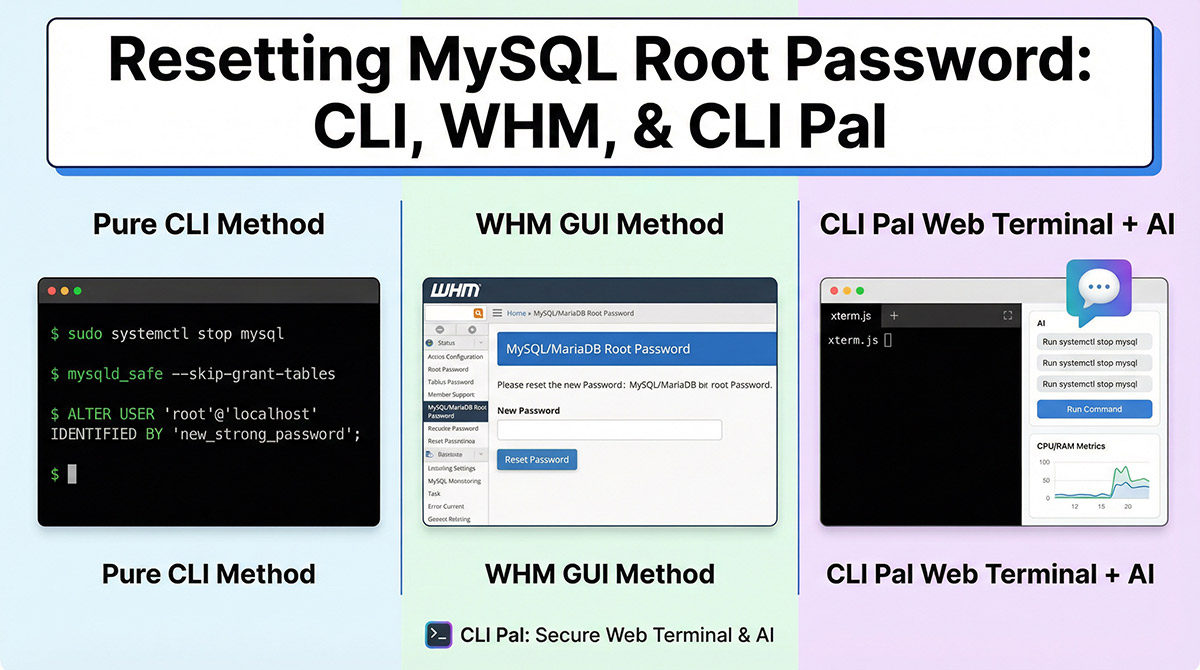
Forgetting the MySQL root password can lock you out of your database, halting development, deployments, or data access. Whether you're on a VPS without cPanel/WHM or managing a shared hosting setup with WHM, this guide covers all scenarios. We'll walk through resetting the password using traditional CLI methods, WHM's built-in tools, and how CLI Pal's browser-based real-time web terminal and AI assistant make it faster and safer, no SSH apps needed, just outbound-only agent connections for security.
CLI Pal shines here: its WebSocket-powered terminal emulates xterm.js for seamless access, while the AI assistant suggests context-aware commands with 'Run' buttons. Always backup your databases first (e.g., via mysqldump) and test in a safe environment. These steps work for MySQL 5.7+ and MariaDB.
Reset Without WHM: Pure CLI Method (No CLI Pal)
If you're SSH'd into your server without WHM, follow these manual steps. Requires root/server access.
- Stop MySQL:
(Usesudo systemctl stop mysql
sudo systemctl stop mysqldmariadbfor MariaDB.) - Start in safe mode:
Press Enter after it backgrounds.sudo mysqld_safe --skip-grant-tables --skip-networking & - Connect and reset:
Then run:mysql -u rootFLUSH PRIVILEGES;
ALTER USER 'root'@'localhost' IDENTIFIED BY 'new_strong_password';
FLUSH PRIVILEGES;
EXIT; - Restart MySQL:
sudo pkill mysqld
sudo systemctl start mysql - Test:
mysql -u root -p
Tip: For systemd issues, check logs with journalctl -u mysql.
Reset Without WHM: Using CLI Pal's Web Terminal & AI Assistant
CLI Pal's real-time terminal gives browser access from anywhere, no VPN or SSH keys stored (agent uses tokens). Install the lightweight Python agent once for outbound-only monitoring.
- Log into CLI Pal, select your server from the multi-server dashboard.
- Open the web terminal: Full xterm.js emulation streams commands live.
- Ask the Terminal AI Assistant: "Help reset MySQL root password." It suggests steps with reasoning, like safe mode commands.
- Click "Run Command" on AI suggestions (e.g.,
systemctl stop mysql) for one-click execution. - Follow AI-guided prompts: It adapts to errors, e.g., "If mysqld_safe fails, try --user=mysql."
- Monitor live metrics (CPU/RAM) in the dashboard to spot issues.
- Post-reset, use AI to optimize: "Analyze slow queries" leverages CLI Pal's flagship MySQL Query Optimizer.
Pro tip: Bookmark queries in CLI Pal for reuse. Persistent chat history saves time next incident.
Reset With WHM: No CLI Pal Needed
cPanel/WHM simplifies this via GUI—no CLI hassle. Assumes WHM root access.
- Login to WHM (https://yourserver:2087).
- Navigate to SQL Services > MySQL/MariaDB Root Password.
- Enter current password (if known) or use "Reset Root Password" if locked out.
- Set new password, confirm, and apply. WHM restarts MySQL automatically.
- Test in SQL Services > MySQL Databases or phpMyAdmin.
If WHM root password is lost too, reset via server console (e.g., VPS provider panel) or CloudLinux tools.
Troubleshooting WHM Resets
- MySQL won't start? Check Restart Services > SQL Server (MySQL).
- Permission errors: Ensure WHM user owns /var/lib/mysql.
Reset With WHM: Enhanced by CLI Pal
Combine WHM GUI with CLI Pal for verification and deeper insights. Ideal for teams.
- Reset via WHM as above.
- In CLI Pal dashboard, check live metrics: Confirm MySQL process restarts (CPU spike), failed SSH logins (security bonus).
- Open terminal + AI: "Verify MySQL root access." AI runs
mysql -u root -psafely. - Leverage MySQL Optimizer: Connect DB, get health score (0-100), auto-index suggestions with before/after ROI.
- AI chat: "Benchmark query performance post-reset", tracks 24h trends.
CLI Pal's agent auto-updates, runs as systemd, no manual maintenance.
Best Practices & Security After Reset
- Use strong passwords: 16+ chars, mix case/symbols. CLI Pal AI can generate: "Suggest secure MySQL password."
- Limit root: Create app-specific users (
CREATE USER 'app'@'localhost' IDENTIFIED BY 'pass';). - Enable 2FA: CLI Pal has TOTP for logins; WHM via cPanel plugins.
- Monitor proactively: CLI Pal tracks disk IOPS, network, MySQL health, alerts on anomalies.
- Avoid auth_socket: Switch to mysql_native_password if needed:
ALTER USER 'root'@'localhost' IDENTIFIED WITH mysql_native_password BY 'pass';.
For Free tier users: Test with limited servers. Upgrade to Pro for unlimited AI queries.
Conclusion
Resetting MySQL root password is straightforward, CLI for control, WHM for ease, CLI Pal for intelligence. Ditch SSH fatigue: CLI Pal's terminal + AI turns complex ops into guided chats, with MySQL optimization as a bonus. Secure your servers today!